
Drone Receivers Guide: ELRS, Protocols and Matching Gear
The receiver is the part of the drone that actually listens to your radio, and choosing it is mostly about one thing: protocol compatibility. A receiver that does not speak the same language as your transmitter is an expensive paperweight, no matter how small or light it is. This guide explains how modern receivers work, what ELRS brings, and how to match a receiver to the rest of the gear without guessing.
What a receiver actually does
On the airframe, the receiver takes the radio signal from your transmitter and turns it into channel inputs the flight controller understands. Its job is low latency, reliable range, and a failsafe that keeps the vehicle safe if the link drops. A tiny receiver tucked into a small quad still carries all of that responsibility, which is why the choice matters more than its size suggests.
ELRS versus legacy receivers
ExpressLRS, or ELRS, is the open radio link that has become the default for modern FPV, prized for low latency and long range. The catalog shows the spread: small lightweight options like the BetaFPV ELRS Nano Receiver and the BetaFPV ELRS Lite Receiver, alongside general options like the Aocoda-RC ELRS 2.4GHz Receiver. Older legacy receivers, such as the AR6200 receiver, still serve existing radio ecosystems, but they do not offer the range and update path of ELRS.
Matching receiver to transmitter
The golden rule is ecosystem consistency. An ELRS receiver pairs with an ELRS transmitter, and a legacy receiver pairs with a legacy module. Mixing the two never works, and the most common beginner mistake is buying a receiver that the radio cannot talk to. Check the protocol before ordering, and confirm the receiver fits the frame size — a nano receiver for a tiny whoop, a standard one for a larger build.
Antenna and failsafe
Once the protocol matches, the antenna decides range. A damaged or tucked receiver antenna quietly cuts the link before the pilot notices, which is why replacing tired antennas and keeping them away from metal is routine maintenance. Set a throttle-cut failsafe on every receiver so the vehicle does not run away if the signal is lost. That ten-minute setup on the bench prevents the most expensive incidents.
How to choose
Match the protocol to your radio first, the size to your frame second, and the antenna quality to your flying range. The 9imod accessory range carries the supporting receivers and antennas that round out a build. Buy the receiver that pairs with the transmitter you already own, not the one that looks best on its own.
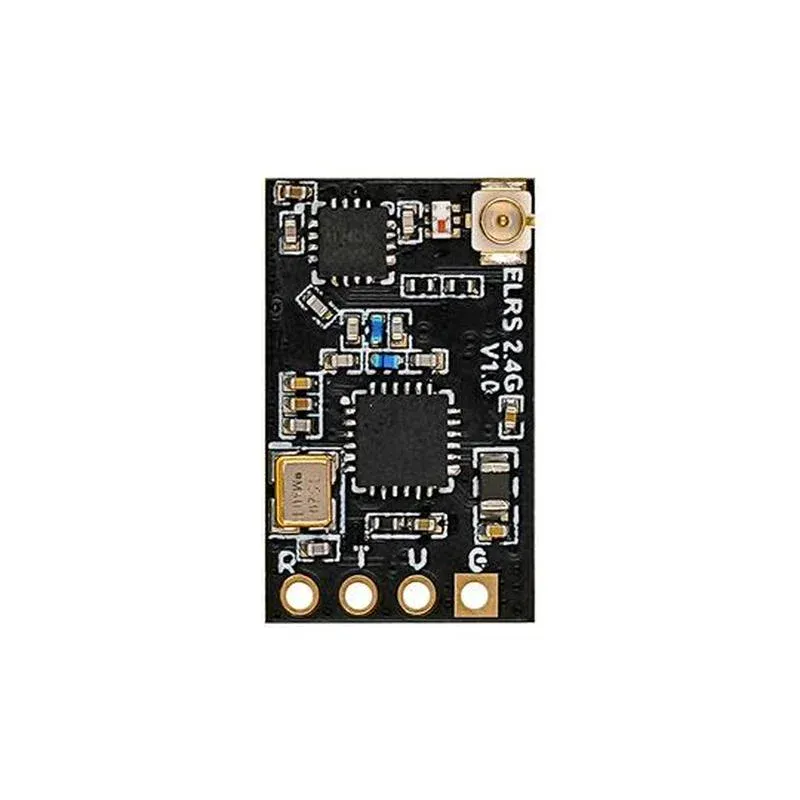

Range and latency are the two numbers a receiver buyer actually cares about, and they pull against each other. A link that is slow to refresh feels laggy and unresponsive; a link stretched to its maximum range drops out at the worst moment. The art is choosing a receiver that pairs with your transmitter to give a comfortable margin on the range you need, without driving the update rate down. A receiver that works at half the field length you fly is the target, not one that only barely reaches the far corner.
Antenna placement quietly decides the real range. A receiver antenna tucked against a metal flight controller or a carbon frame loses signal that the spec sheet promises, because carbon conducts and screens. Route the receiver antenna out along the arm, away from the video transmitter and the battery, and keep it straight and uncoiled. A fresh build that seems to have weak range almost always has an antenna problem rather than a bad receiver, and the fix is rerouting, not upgrading.
Failsafe setup is the ten minutes that prevents a flyaway. On every receiver, set the failsafe to cut throttle and hold a safe state if the link drops, rather than letting the quad continue on the last command. Test it on the bench with props off: power up, arm, switch the transmitter off, and confirm the motors stop. A receiver that is never failsafe-tested is a drone waiting to decide for itself what to do when the signal dies, and that decision is rarely the right one.
Telemetry and diversity are the refinements that separate a basic link from a professional one. Telemetry feeds battery and link-quality data back to the pilot's radio, which is how a long-range flight returns before the pack dies rather than after. Diversity receivers compare two antennas and use the better signal, which smooths out the fades as the aircraft turns. On a close freestyle build these are niceties; on a long-range or mapping mission they are what bring the aircraft home. Match the receiver's telemetry and diversity to how far you fly, not to how small it fits.
When in doubt, borrow a known-good receiver and antenna to confirm the airframe before blaming the radio, because a fresh build and a tired antenna are easy to confuse.